Documentary Beat Indexing — 17-Class Scene Taxonomy with FCP XML
ScorsAI classifies documentary footage into 17 scene types and generates Final Cut Pro XML markers — turning hours of raw footage into a searchable beat sheet.
Table of Contents
Why Should You Care?
A feature-length documentary generates hundreds of hours of raw footage. Finding the moment you need — the confrontation at minute 47 of tape 12, the quiet reflection after a phone call — is where most of the editorial time goes. Not the cutting, the searching.
ScorsAI’s beat indexing pipeline addresses this directly: process footage through scene classification, emit structured metadata, and generate Final Cut Pro markers that put every classified beat directly on the FCP timeline. The editor opens a project and the beat sheet is already there.
This post walks through the taxonomy design, the classification pipeline, and the FCPXML export format. The focus is on the structural choices — why 17 classes, how they were defined, and why generic video classification models aren’t good enough for documentary work.
Why Documentary Classification Is Different
Pre-trained video classifiers like those from Kinetics-700 or ActivityNet are trained on action recognition: “playing guitar,” “swimming,” “cooking.” That’s useless for documentary editing.
A documentary editor thinks in narrative beats. They need to know: is this a moment of confrontation or reflection? Is this scene establishing context or advancing the emotional arc? Is the subject speaking directly to camera or is this observational footage?
The taxonomy has to match how editors think — not how computer vision models categorize YouTube videos.
The 17-Class Taxonomy
The taxonomy was designed around three axes: shot type (how the camera relates to the subject), interaction mode (what’s happening socially in the frame), and narrative function (what the scene does in the story).
# scorsai/taxonomy.py

SCENE_CLASSES = {
    # ─── Direct address ───────────────────────────────────────────────
    'interview':          'Subject speaks directly to interviewer, on-camera',
    'talking_head':       'Subject speaks directly to lens, no interviewer visible',
    'confessional':       'Intimate direct address, low-key lighting, personal disclosure',

    # ─── Observational ───────────────────────────────────────────────
    'observational':      'Fly-on-wall: subjects unaware of or ignoring camera',
    'b_roll':             'Illustrative footage, no speaking subjects',
    'montage':            'Rapid sequence: time passage, accumulation, contrast',

    # ─── Spatial/geographic ───────────────────────────────────────────
    'establishing':       'Location intro: exterior, landscape, architecture',
    'detail':             'Close-up of object, document, texture — no people',

    # ─── Interpersonal dynamics ───────────────────────────────────────
    'confrontation':      'Visible tension or conflict between people on screen',
    'conversation':       'Neutral exchange, no clear tension or intimacy',
    'reunion':            'Emotionally significant encounter after separation',

    # ─── Internal/reflective ─────────────────────────────────────────
    'reflection':         'Subject speaks about past, pauses, processes on screen',
    'silence':            'Significant pause — grief, shock, processing, weight',

    # ─── Archival ────────────────────────────────────────────────────
    'archival_photo':     'Still photography on screen',
    'archival_video':     'Historical or archival moving image footage',
    'archival_document':  'Text, letter, legal doc, record on screen',

    # ─── Closing ─────────────────────────────────────────────────────
    'visual_closer':      'End-of-chapter or end-of-film image: symbolic, lingering',
}
A few design decisions worth explaining:
confessional vs interview: These look similar visually but function differently narratively. A confessional is intimate and disclosive — different lighting, different emotional register. Treating them as the same class conflates scenes that would be placed in completely different parts of the story.
silence as its own class: Silences in documentary footage are often the most meaningful moments. A two-second pause after a question, a subject looking away before answering — these are data. They need to be retrievable. Generic classifiers have no concept of “significant pause.”
visual_closer: This was added in V1.6 after noticing that chapter-ending images have a distinctive visual signature — slow movement or still frame, symbolic composition, longer duration than b-roll — but were being misclassified as generic b_roll. Having the class lets the editor quickly find candidate closing images for each chapter.
The Classification Pipeline
Raw video clip
      │
      ▼
Scene boundary detection (PySceneDetect)
      │  Splits into candidate scenes
      ▼
Frame sampling (every 2 seconds + keyframes)
      │  Representative frames per scene
      ▼
Grok Vision: initial classification + confidence
      │  JSON: { class, confidence, description, reasoning }
      ▼
Gemini Deep Analysis (confidence < 0.75 OR complex classes)
      │  Second opinion + richer description
      ▼
Consensus resolver
      │  Weighted vote: Grok (0.6) + Gemini (0.4), fallback to higher confidence
      ▼
Beat sheet JSON
      │  { timecode, duration, class, confidence, description, models_agreed }
      ▼
FCPXML marker export
Scene Detection
# scorsai/detector.py

from scenedetect import open_video, SceneManager
from scenedetect.detectors import ContentDetector, ThresholdDetector

def detect_scenes(video_path: str, threshold: float = 27.0) -> list[dict]:
    video = open_video(video_path)
    scene_manager = SceneManager()

    # ContentDetector catches cuts; ThresholdDetector catches fades
    scene_manager.add_detector(ContentDetector(threshold=threshold))
    scene_manager.add_detector(ThresholdDetector(threshold=12, fade_bias=0))

    scene_manager.detect_scenes(video)
    scene_list = scene_manager.get_scene_list()

    return [
        {
            'start_frame': start.get_frames(),
            'end_frame': end.get_frames(),
            'start_tc': start.get_timecode(),
            'end_tc': end.get_timecode(),
            'duration_s': (end - start).get_seconds(),
        }
        for start, end in scene_list
    ]
Grok Classification Pass
# scorsai/classifier.py

import base64
import json
import httpx

GROK_CLASSIFY_PROMPT = """You are classifying scenes in a documentary film.

Given {frame_count} frames sampled from a {duration:.1f}-second clip, classify the scene.

TAXONOMY:
{taxonomy_json}

Respond with valid JSON only:
{{
  "class": "<class_name>",
  "confidence": <0.0-1.0>,
  "description": "<one sentence describing what's visible>",
  "reasoning": "<why this class, not another>"
}}"""

async def classify_with_grok(frames: list[bytes], duration: float) -> dict:
    encoded = [base64.b64encode(f).decode() for f in frames]

    messages = [
        {
            "role": "user",
            "content": [
                {
                    "type": "text",
                    "text": GROK_CLASSIFY_PROMPT.format(
                        frame_count=len(frames),
                        duration=duration,
                        taxonomy_json=json.dumps(list(SCENE_CLASSES.keys()), indent=2),
                    ),
                },
                *[
                    {"type": "image_url", "image_url": {"url": f"data:image/jpeg;base64,{b64}"}}
                    for b64 in encoded[:4]  # max 4 frames per API call
                ],
            ],
        }
    ]

    async with httpx.AsyncClient() as client:
        response = await client.post(
            'https://api.x.ai/v1/chat/completions',
            headers={'Authorization': f'Bearer {XAI_API_KEY}'},
            json={
                'model': 'grok-2-vision-latest',
                'messages': messages,
                'response_format': {'type': 'json_object'},
                'temperature': 0.1,
            },
            timeout=30,
        )

    return json.loads(response.json()['choices'][0]['message']['content'])
Gemini Second Pass (Low Confidence)
Gemini’s deeper reasoning handles the ambiguous cases — especially distinguishing reflection from confessional, or confrontation from conversation:
async def classify_with_gemini(frames: list[bytes], duration: float, grok_result: dict) -> dict:
    prompt = f"""You are a documentary film analyst reviewing a scene classification.

A first-pass classifier labeled this {duration:.1f}s clip as '{grok_result['class']}'
with {grok_result['confidence']:.0%} confidence.
Reasoning: {grok_result['reasoning']}

Study the frames carefully. Does this classification match the documentary taxonomy?
Pay special attention to:
- Emotional register of subjects (tension vs. openness vs. grief)
- Camera relationship to subjects (observational vs. staged vs. intimate)
- Narrative function (what does this scene DO in the story?)

TAXONOMY:
{json.dumps(SCENE_CLASSES, indent=2)}

Respond with JSON: {{"class": "...", "confidence": 0.0-1.0, "description": "...", "agrees_with_grok": true/false}}"""

    # Gemini multimodal call via google.generativeai
    model = genai.GenerativeModel('gemini-2.0-flash-exp')
    parts = [prompt] + [Image.from_bytes(f) for f in frames[:6]]
    response = model.generate_content(parts, generation_config={'response_mime_type': 'application/json'})

    return json.loads(response.text)
Beat Sheet JSON Output
{
  "source_file": "tape_12_raw.mp4",
  "processed_at": "2026-04-16T14:22:07Z",
  "total_scenes": 47,
  "beats": [
    {
      "scene_index": 0,
      "start_tc": "00:00:00.000",
      "end_tc": "00:00:18.440",
      "duration_s": 18.44,
      "class": "establishing",
      "confidence": 0.91,
      "models_agreed": true,
      "description": "Exterior establishing shot of suburban home, overcast morning light",
      "tags": []
    },
    {
      "scene_index": 1,
      "start_tc": "00:00:18.440",
      "end_tc": "00:01:44.120",
      "duration_s": 85.68,
      "class": "interview",
      "confidence": 0.87,
      "models_agreed": true,
      "description": "Subject speaks about 2016 events, visible emotion when discussing phone call",
      "tags": ["emotional", "key-testimony"]
    },
    {
      "scene_index": 7,
      "start_tc": "00:05:12.800",
      "end_tc": "00:05:17.200",
      "duration_s": 4.4,
      "class": "silence",
      "confidence": 0.73,
      "models_agreed": false,
      "grok_class": "silence",
      "gemini_class": "reflection",
      "description": "Subject pauses mid-sentence, looks away from interviewer, 4.4s",
      "tags": ["review"]
    }
  ]
}
Note the models_agreed: false case. When Grok and Gemini disagree, the beat is tagged for editorial review rather than silently picking a winner. The editor sees it flagged on the FCP timeline and makes the call.
FCPXML Marker Export
Final Cut Pro’s XML format (fcpxml) supports markers at specific timecodes. ScorsAI exports each beat as a chapter marker with the class name and description.
# scorsai/fcpxml_export.py

from xml.etree.ElementTree import Element, SubElement, tostring
from xml.dom import minidom
from fractions import Fraction

# FCP uses rational time: value/timebase (typically /25 for 25fps, /30 for 30fps)
def seconds_to_fcp_time(seconds: float, timebase: int = 30000, ntsc: bool = True) -> str:
    """Convert seconds to FCP rational time format."""
    if ntsc:
        # NTSC: 30000/1001 frames/second
        frames = round(seconds * 30000 / 1001)
        return f"{frames * 1001}/30000s"
    else:
        frames = round(seconds * timebase)
        return f"{frames}/{timebase}s"

MARKER_COLORS = {
    'interview':       'red',
    'talking_head':    'red',
    'confessional':    'red',
    'observational':   'blue',
    'b_roll':          'blue',
    'montage':         'orange',
    'establishing':    'green',
    'confrontation':   'red',
    'reflection':      'purple',
    'silence':         'purple',
    'archival_photo':  'yellow',
    'archival_video':  'yellow',
    'archival_document': 'yellow',
    'visual_closer':   'orange',
}

def export_fcpxml(beat_sheet: dict, output_path: str, fps: float = 29.97):
    timebase = 30000 if abs(fps - 29.97) < 0.01 else int(fps)
    ntsc = abs(fps - 29.97) < 0.01

    fcpxml = Element('fcpxml', version='1.11')
    resources = SubElement(fcpxml, 'resources')
    library = SubElement(fcpxml, 'library')
    event = SubElement(library, 'event', name='ScorsAI Beat Index')
    project = SubElement(event, 'project', name=beat_sheet['source_file'])

    sequence = SubElement(project, 'sequence',
        duration=seconds_to_fcp_time(sum(b['duration_s'] for b in beat_sheet['beats']), timebase, ntsc),
        format='r1'
    )
    spine = SubElement(sequence, 'spine')

    for beat in beat_sheet['beats']:
        start_time = seconds_to_fcp_time(
            _tc_to_seconds(beat['start_tc']), timebase, ntsc
        )

        marker = SubElement(spine, 'marker',
            start=start_time,
            duration=seconds_to_fcp_time(beat['duration_s'], timebase, ntsc),
            value=f"[{beat['class'].upper()}] {beat['description'][:60]}",
        )

        # Color-coded by class for quick visual scanning
        marker.set('completed', '0')
        color = MARKER_COLORS.get(beat['class'], 'white')
        marker.set('notation', color)

        # Flag low-confidence or disagreed beats for review
        if not beat.get('models_agreed', True) or beat['confidence'] < 0.70:
            marker.set('notation', 'red')
            marker.set('value', f"⚠ REVIEW: {marker.get('value')}")

    # Pretty-print XML
    xml_str = minidom.parseString(tostring(fcpxml)).toprettyxml(indent='  ')
    with open(output_path, 'w') as f:
        f.write(xml_str)

    print(f"Exported {len(beat_sheet['beats'])} markers → {output_path}")
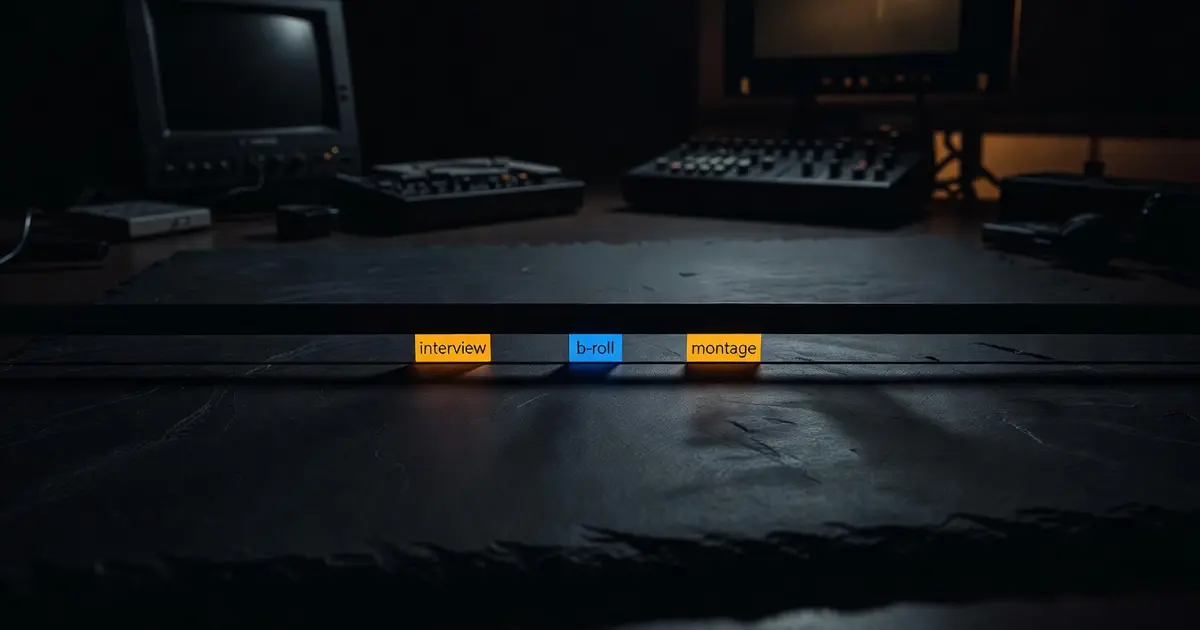
The result in Final Cut Pro: every scene appears as a color-coded chapter marker on the timeline. Red = direct address, blue = observational, purple = internal/reflective, yellow = archival. The editor can filter by marker color, jump to any beat, and see the AI description in the marker comment.
Baseline and Delta Scoring (V1.6)
The V1.6 taxonomy adds a scoring layer on top of classification. Two metrics are tracked across the full tape:
Baseline: the “default mode” of the footage — what class appears most frequently by duration. For a talking-head documentary, baseline is probably interview. For a nature-embedded observational piece, it’s observational.
Delta: how much each scene deviates from baseline. A confrontation in a film where baseline is interview is a high-delta scene — probably significant. A confrontation in a film where baseline is confrontation is unremarkable.
def compute_delta_scores(beats: list[dict]) -> list[dict]:
    # Baseline = class with most total screen time
    duration_by_class = {}
    for beat in beats:
        duration_by_class.setdefault(beat['class'], 0)
        duration_by_class[beat['class']] += beat['duration_s']

    baseline_class = max(duration_by_class, key=duration_by_class.get)
    baseline_duration = duration_by_class[baseline_class]
    total_duration = sum(duration_by_class.values())
    baseline_pct = baseline_duration / total_duration

    for beat in beats:
        if beat['class'] == baseline_class:
            beat['delta'] = 0.0
        else:
            # Delta: normalized deviation from baseline
            # High delta = structurally significant departure
            beat['delta'] = round(1.0 - (duration_by_class.get(beat['class'], 0) / total_duration) / baseline_pct, 3)

    return beats, baseline_class
Editors use delta scores to build a visual “intensity map” of the tape — scanning for high-delta moments as candidate keystone scenes before doing a full watch.
CLI Interface
# Process a single tape
python -m scorsai.index --input tape_12_raw.mp4 --fps 29.97

# Output:
# Detecting scenes...           47 scenes found
# Classifying (Grok pass)...    47/47 complete
# Re-running (Gemini pass)...   8 scenes below threshold
# Computing delta scores...     baseline=interview (68% screen time)
# Exporting beat sheet...       tape_12_raw_beats.json
# Exporting FCPXML markers...   tape_12_raw_markers.fcpxml
#
# High-delta scenes (delta > 0.8):
#   00:05:12.800  silence        confidence=0.73  ⚠ review
#   00:47:22.440  confrontation  confidence=0.89
#   01:14:08.200  visual_closer  confidence=0.84
What You Learned
- Generic video classifiers don’t map to editorial vocabulary. A documentary taxonomy has to be designed around how editors think — narrative function, emotional register, camera relationship — not how computer vision researchers categorize YouTube.
- Two models are better than one for ambiguous classes. Classes like
reflectionvsconfessionalorconfrontationvsconversationbenefit from a second opinion; flag disagreements for human review rather than silently picking a winner. - FCPXML markers make AI output immediately usable. The pipeline’s output is not a JSON report — it’s a file the editor drops into Final Cut Pro that populates their timeline with classified, color-coded beats.
- Baseline and delta scoring contextualizes classification. Whether a scene is significant depends on the film’s rhythm, not just its label. A
confrontationin an otherwise quiet film is different from aconfrontationin an already tense one. - Flag low-confidence results visually. The pipeline doesn’t hide uncertainty — it surfaces it as a
⚠ REVIEWmarker on the timeline so the editor can make the call with full context.