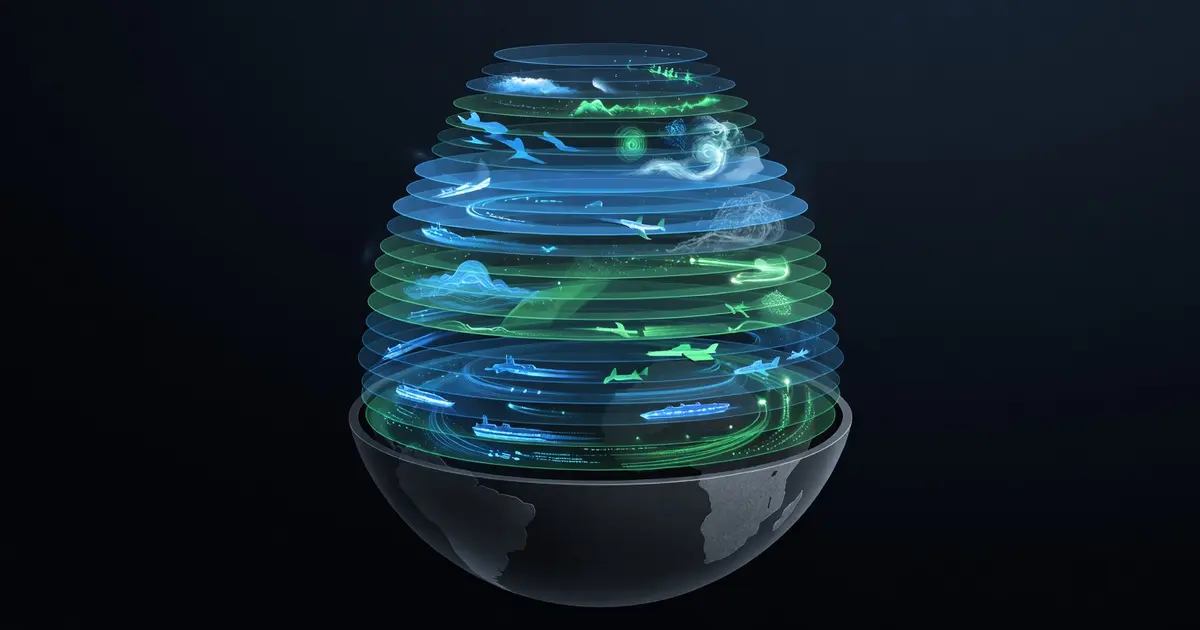
Fusing 25 Live Data Feeds on a 3D Globe — Layer Pipeline Architecture
OMNI renders 25 real-time data layers on a CesiumJS globe — AIS ships, aircraft, weather, earthquakes, wildfires. Here's the layer pipeline that makes it work without melting the browser.
Table of Contents
Why Should You Care?
Twenty-five live data feeds. One browser tab. Zero crashes.
That’s what OMNI has to deliver — AIS vessel tracking, ADS-B aircraft, GDELT conflict events, USGS earthquakes, NASA FIRMS wildfires, weather radar, and 19 more layers, all converging on a CesiumJS 3D globe in real time. When I started building it, I assumed the hard part would be the data sources. It wasn’t. The hard part was designing a layer system that could handle all of them without collapsing under its own weight.
This post walks through the layer pipeline architecture that makes it work: the consistent pattern every layer follows, how entity pooling prevents GC pressure, and the toggle system that keeps users in control without triggering unnecessary fetches.
The Core Problem: 25 Different Data Sources, One Coherent System
The naive approach is to handle each data source ad hoc — a useEffect here, a one-off fetch there, a couple of custom components wired directly into the globe. I wrote that version. It lasted about three weeks before it became unmaintainable.
The breakthrough was recognizing that every layer — no matter how different the data source — follows the same lifecycle:
- Load — fetch initial data, hydrate entities on the globe
- Update — poll or subscribe for new data, update existing entities in place
- Cleanup — when the layer is toggled off or the component unmounts, remove all entities and cancel in-flight requests
Once I saw that, I could design a consistent interface and build tooling around it.
The Layer Pipeline: Three Stages
Stage 1: API Proxy Route
Every external API call goes through a Next.js API route — no client-side calls to third-party APIs, ever. The reasons are practical:
- Key security — API keys never ship to the browser
- Rate limiting — the proxy enforces per-route and per-user limits centrally
- Response caching — the proxy caches external responses so 10 concurrent users don’t each trigger a separate API call
- SSRF protection — the proxy validates all outbound URLs against an allowlist
// app/api/layers/ais/route.ts
import { NextRequest, NextResponse } from 'next/server'
import { rateLimiter } from '@/lib/rate-limiter'
import { layerCache } from '@/lib/layer-cache'

export async function GET(req: NextRequest) {
  const userId = req.headers.get('x-user-id') ?? 'anonymous'

  const limited = await rateLimiter.check(`ais:${userId}`, { max: 10, window: 60 })
  if (limited) {
    return NextResponse.json({ error: 'Rate limit exceeded' }, { status: 429 })
  }

  const cached = await layerCache.get('ais')
  if (cached) return NextResponse.json(cached)

  const upstream = await fetch('https://api.aisstream.io/v0/vessels', {
    headers: { Authorization: `Bearer ${process.env.AIS_API_KEY}` },
  })
  const data = await upstream.json()

  await layerCache.set('ais', data, { ttl: 30 }) // 30-second TTL
  return NextResponse.json(data)
}
The cache TTL is tuned per layer. AIS vessels move fast — 30 seconds. USGS earthquakes update every few minutes — 120-second TTL. GDELT events are hourly — 3,600-second TTL. This single decision cut external API costs by roughly 80% once multiple concurrent users were hitting the platform.
Stage 2: Zustand Layer Slice
The API proxy delivers data. The Zustand layer slice is what the rest of the app talks to. Each layer has a consistent shape in the store:
interface LayerState {
  enabled: boolean
  loading: boolean
  error: string | null
  entityCount: number
  lastUpdated: number | null
}

interface LayersStore {
  layers: Record<LayerId, LayerState>
  toggleLayer: (id: LayerId) => void
  setLayerLoading: (id: LayerId, loading: boolean) => void
  setLayerError: (id: LayerId, error: string | null) => void
  setEntityCount: (id: LayerId, count: number) => void
}
The entityCount field is more useful than it sounds. It drives the layer legend UI — “AIS: 4,217 vessels” — without touching the Cesium scene at all. The UI reads from Zustand; Cesium writes to Zustand. They never talk directly.
Stage 3: Cesium Entity Renderer
The renderer is where data becomes geometry on the globe. Each layer has a dedicated renderer that manages its own entity pool, handles updates imperatively, and cleans up after itself.
// hooks/layers/useAisLayer.ts
export function useAisLayer() {
  const viewer = useCesiumViewer()       // returns the Cesium viewer from a ref
  const enabled = useLayersStore(s => s.layers.ais.enabled)
  const entityPool = useRef<Map<string, Cesium.Entity>>(new Map())
  const intervalRef = useRef<NodeJS.Timeout | null>(null)

  useEffect(() => {
    if (!enabled) {
      // Cleanup: remove all entities from the globe
      entityPool.current.forEach(entity => viewer.entities.remove(entity))
      entityPool.current.clear()
      if (intervalRef.current) clearInterval(intervalRef.current)
      useLayersStore.getState().setEntityCount('ais', 0)
      return
    }

    async function fetchAndRender() {
      useLayersStore.getState().setLayerLoading('ais', true)
      try {
        const res = await fetch('/api/layers/ais')
        const vessels: AisVessel[] = await res.json()

        // Update in place — don't remove and re-add, just move the entity
        vessels.forEach(vessel => {
          const existing = entityPool.current.get(vessel.mmsi)
          if (existing) {
            existing.position = new Cesium.ConstantPositionProperty(
              Cesium.Cartesian3.fromDegrees(vessel.lon, vessel.lat)
            )
          } else {
            const entity = viewer.entities.add({
              id: `ais-${vessel.mmsi}`,
              position: Cesium.Cartesian3.fromDegrees(vessel.lon, vessel.lat),
              point: { pixelSize: 6, color: Cesium.Color.CYAN },
              properties: new Cesium.PropertyBag({ type: 'ais', data: vessel }),
            })
            entityPool.current.set(vessel.mmsi, entity)
          }
        })

        useLayersStore.getState().setEntityCount('ais', vessels.length)
      } catch (err) {
        useLayersStore.getState().setLayerError('ais', String(err))
      } finally {
        useLayersStore.getState().setLayerLoading('ais', false)
      }
    }

    fetchAndRender()
    intervalRef.current = setInterval(fetchAndRender, 30_000)

    return () => {
      if (intervalRef.current) clearInterval(intervalRef.current)
    }
  }, [enabled, viewer])
}
The key line is the update path: existing.position = .... Cesium entities are mutable. When a vessel moves, I update its position property in place rather than removing and re-adding the entity. This avoids GC pressure and keeps the scene graph stable.
Entity Pooling
With 25 layers active simultaneously, you could easily have 50,000+ Cesium entities on the globe. Creating and destroying entities on every poll cycle would destroy performance. Entity pooling solves this.
Each layer’s renderer maintains a Map<string, Cesium.Entity> keyed by the entity’s unique identifier (MMSI for vessels, hex code for aircraft, event ID for earthquakes). On each data refresh:
- Iterate new data. For each item, check if an entity exists in the pool.
- If it exists: update its properties in place. No allocation.
- If it’s new: create the entity and add it to the pool.
- After processing all new data, find entities in the pool that weren’t in the new data (they disappeared) and remove them from the globe and the pool.
// The cleanup pass — remove stale entities
const activeIds = new Set(vessels.map(v => v.mmsi))
entityPool.current.forEach((entity, mmsi) => {
  if (!activeIds.has(mmsi)) {
    viewer.entities.remove(entity)
    entityPool.current.delete(mmsi)
  }
})
This three-pass pattern (update, add, remove) keeps entity count accurate and prevents accumulation of ghost entities from vessels that sailed out of range.
The Layer Registry
With 25 layers, you need a central registry to avoid hardcoding logic in every corner of the app. OMNI uses a plain TypeScript object:
// lib/layer-registry.ts
export const LAYER_REGISTRY: Record<LayerId, LayerConfig> = {
  ais: {
    id: 'ais',
    label: 'AIS Vessel Tracking',
    description: 'Live AIS vessel positions from AISstream.io',
    icon: 'ship',
    color: '#00FFFF',
    tier: 'free',
    pollInterval: 30_000,
    apiRoute: '/api/layers/ais',
  },
  adsb: {
    id: 'adsb',
    label: 'ADS-B Aircraft',
    description: 'Live aircraft positions from OpenSky Network',
    icon: 'plane',
    color: '#FF6B35',
    tier: 'free',
    pollInterval: 10_000,
    apiRoute: '/api/layers/adsb',
  },
  opensky: {
    id: 'opensky',
    label: 'OpenSky Flight Data',
    description: 'Historical and live flight data from OpenSky',
    icon: 'plane-departure',
    color: '#FFD700',
    tier: 'pro',
    pollInterval: 15_000,
    apiRoute: '/api/layers/opensky',
  },
  earthquakes: {
    id: 'earthquakes',
    label: 'USGS Earthquakes',
    description: 'Real-time seismic events from USGS Earthquake Hazards Program',
    icon: 'seismic',
    color: '#FF4444',
    tier: 'free',
    pollInterval: 120_000,
    apiRoute: '/api/layers/earthquakes',
  },
  wildfires: {
    id: 'wildfires',
    label: 'NASA FIRMS Wildfires',
    description: 'Active fire detections from NASA FIRMS VIIRS/MODIS',
    icon: 'fire',
    color: '#FF8C00',
    tier: 'free',
    pollInterval: 300_000,
    apiRoute: '/api/layers/wildfires',
  },
  gdelt: {
    id: 'gdelt',
    label: 'GDELT Global Events',
    description: '15-minute event data from the GDELT Project',
    icon: 'globe-event',
    color: '#9B59B6',
    tier: 'pro',
    pollInterval: 900_000,
    apiRoute: '/api/layers/gdelt',
  },
  // ... 19 more
}
The registry drives the UI layer panel, the toggle system, and the per-layer polling intervals. Changing a poll interval is a one-line edit in one file.
The Toggle System
Layer toggling has to be instant — no spinner, no delay. The UI updates immediately; the data fetch is async behind it. When a user toggles a layer on, the Zustand store flips enabled: true instantly, which triggers the layer hook’s useEffect. The hook fires the first fetch, which sets loading: true during the network request.
When a layer is toggled off, cleanup runs synchronously in the same useEffect return:
User clicks toggle
       ↓
Zustand: layers.ais.enabled = true
       ↓
useAisLayer effect runs (enabled changed)
       ↓
fetchAndRender() fires immediately
       ↓
setLayerLoading('ais', true)
       ↓
fetch('/api/layers/ais') — hits cache if warm
       ↓
Entities added to globe
       ↓
setLayerLoading('ais', false), setEntityCount('ais', N)
       ↓
setInterval(fetchAndRender, 30_000) starts
The first render usually returns in under 100ms if the proxy cache is warm. On a cold start it takes 1-3 seconds depending on the upstream API.
Performance Reality Check
With all 25 layers active:
Layer summary (25 layers active):
  AIS vessels:          4,217 entities
  ADS-B aircraft:       2,891 entities
  OpenSky flights:      1,043 entities
  GDELT events:           847 entities
  USGS earthquakes:       312 entities
  NASA wildfires:       8,441 entities
  Weather stations:       918 entities
  ... (18 more layers)
  ─────────────────────────────────
  Total entities:      ~22,000

  Frame time:           8-12ms (Chrome DevTools)
  Memory:               ~1.1 GB tab memory
  Garbage collections:  ~2/min (no GC spikes during poll)
The entity pool pattern is what keeps GC collections from spiking during polls. Without it, every 30-second AIS refresh would allocate 4,000+ new entities, immediately eligible for collection. With it, the same 4,000 entities sit in memory and get their properties mutated.
One counterintuitive finding: NASA FIRMS wildfires are the most expensive layer to render, not AIS. 8,441 fire detections with heatmap-style point rendering pushes the GPU harder than 4,000 cyan dots. If you need to cut performance corners, start there.
What You Learned
- Every layer in OMNI follows the same three-stage pipeline: API proxy route → Zustand slice → Cesium entity renderer. Consistency at this level makes a 25-layer system feel manageable.
- Entity pooling (update in place, then remove stale) eliminates GC pressure during real-time data refreshes. This is the single biggest performance lever.
- The API proxy pattern does four jobs at once: key security, rate limiting, response caching, and SSRF protection. Building it properly once saves pain across all 25 data sources.
- The layer registry is the connective tissue — a single source of truth for IDs, labels, poll intervals, and tier gating that every other system reads from.
- Poll intervals should be tuned to data volatility, not defaulted to one value. AIS at 30 seconds and GDELT at 15 minutes both make sense for their respective data sources.