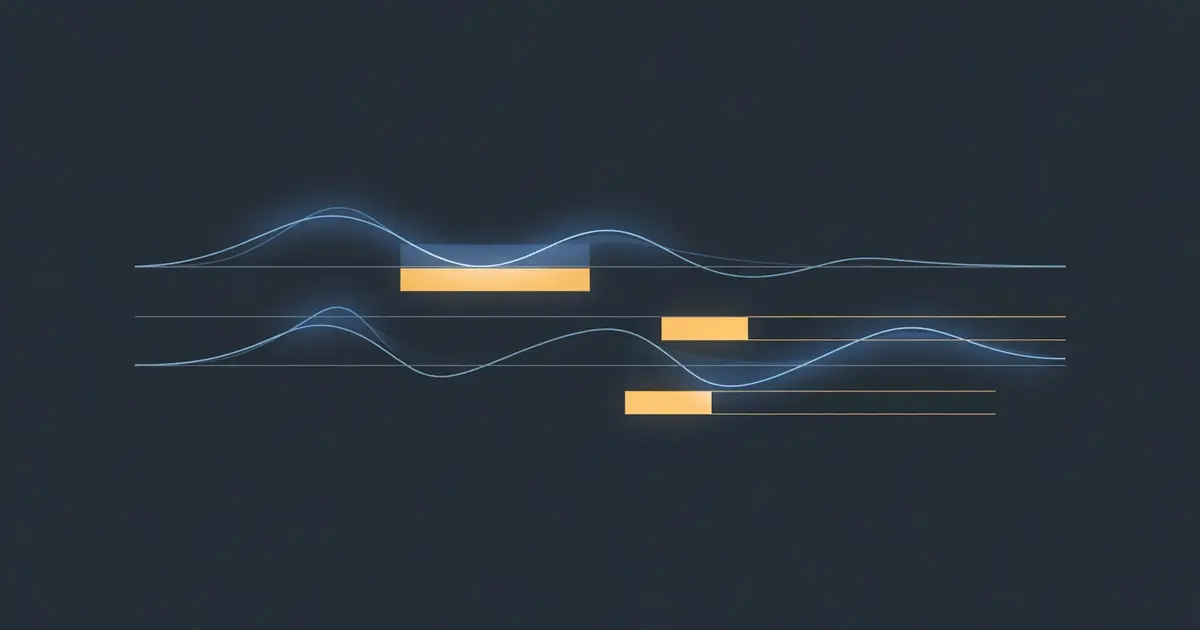
J-Cuts, L-Cuts, and Programmatic FCPXML: Building an Automated Video Editor
Professional editors use split edits to make cuts invisible. I taught a Node.js pipeline to do it automatically — generating frame-aligned FCPXML that Final Cut Pro imports clean.
Table of Contents
Why Should You Care?
Every video you’ve ever watched that felt smooth used a technique you never noticed: the audio and video don’t cut at the same time.
When a professional editor cuts from one shot to the next, they offset the audio boundary from the video boundary by a fraction of a second. The video changes before you hear the new speaker (J-cut), or the previous speaker’s voice lingers while the new visual appears (L-cut). These “split edits” are what separate YouTube vlogs from documentary filmmaking.
I’m building a pipeline that converts blog posts into video rough cuts automatically. The system records narration, aligns it with WhisperX, semantically matches footage to each sentence, and exports FCPXML for Final Cut Pro. The first version dropped 15 cuts into my timeline and it was… functional. Flat. Every cut happened at the exact same instant for audio and video.
Adding split edits transformed it. The same 15 cuts, with 10 frames of video lead and 8 frames of ambient audio bleed, went from “computer-generated sequence” to “somebody edited this.” This post shows exactly how.
The Architecture
The pipeline has a simple flow:
Blog Post → AI Script → Narration Recording → WhisperX Alignment
    → Semantic Matching (Qdrant) → Edit Rules → FCPXML → Final Cut Pro
The key file is narrative-assembler.mjs. It takes WhisperX-aligned narration segments, classifies each sentence into a visual category (nature, screen, hardware, personal, abstract), searches a vector database for matching footage, then applies seven edit rules before generating FCPXML.
The edit rules are where cinematography happens programmatically:
- Source diversity — no same clip file repeated back-to-back
- Category diversity — no same visual category three times in a row
- Beat detection — short segments get contemplative visuals
- Density-modulated ducking — fast speech ducks harder
- Transitions — dissolves for nature/abstract, hard cuts for screen/hardware
- J-cuts — video arrives before narration changes topic
- L-cuts — ambient audio bleeds past video boundary
What Are J-Cuts and L-Cuts?
Think of a timeline with two tracks: video on top, audio on bottom.
A straight cut aligns both:
VIDEO: [====CLIP A====][====CLIP B====]
AUDIO: [====CLIP A====][====CLIP B====]
                       ^ same point
A J-cut lets you see the next shot before you hear it:
VIDEO: [====CLIP A===][=====CLIP B=====]
AUDIO: [=====CLIP A=====][====CLIP B====]
                     ^ video changes here
                         ^ audio changes here
An L-cut lets the previous audio linger:
VIDEO: [====CLIP A====][====CLIP B=====]
AUDIO: [=====CLIP A======][===CLIP B===]
                      ^ video changes here
                          ^ audio fades here
The letters J and L come from the shape the edit makes on a timeline: a J-cut looks like the letter J rotated, an L-cut like L.
In my pipeline, the narration is a continuous voiceover on its own audio track. The “audio” that gets split isn’t the narration — it’s the ambient sound from the B-roll footage (birds chirping during a forest walk, wind on the porch). The narration plays uninterrupted on lane -1 while video clips and their ambient audio shift around it.
The FCPXML Challenge
FCPXML is Apple’s interchange format for Final Cut Pro timelines. It’s XML, but with strict rules that will reject your file silently if you get any detail wrong.
The timing system uses rational numbers — fractions, not decimals. At 23.976fps (the standard for cinema), one frame is 1001/24000 seconds. Every offset, duration, and start point must be an integer multiple of 1001 in the numerator.
const FPS_NUM = 24000
const FPS_DEN = 1001

// 10 frames at 23.976fps = 417ms
const jCutSeconds = (10 * FPS_DEN) / FPS_NUM  // 0.4170833...

// Convert to FCPXML rational: always frame-aligned
const frames = 10
const rational = `${frames * FPS_DEN}/${FPS_NUM}s`  // "10010/24000s"
If your numerator isn’t a multiple of 1001, FCP warns “item is not on an edit frame boundary” and the timeline may drift.
Implementing J-Cuts
In my architecture, narration lives on lane="-1" as a connected clip spanning the entire timeline. The video spine is independent. A J-cut means the video clip starts earlier than its corresponding narration segment — the viewer sees the new shot 10 frames before hearing the topic change.
The implementation is three lines of arithmetic per cut:
// J-cut: shift video offset earlier, extend duration to compensate
const jCutFrames = 10  // ~417ms at 23.976fps
const jCutOffsetFrames = (i > 0 && !isBeat) ? jCutFrames : 0

const offsetFrames = Math.max(0, baseOffsetFrames - jCutOffsetFrames)
const durationFrames = baseDurationFrames + jCutOffsetFrames
const startFrames = Math.max(0, sourceStartFrames - jCutOffsetFrames)
Three things shift:
- Offset moves earlier (where in the timeline this clip appears)
- Duration extends (clip plays longer to cover the gap)
- Start pulls back (we need 10 extra frames from the source media)
The first clip never gets a J-cut — you want narration and video to land together on the opening shot. Beat moments (segments shorter than 2 seconds) skip it too; they’re meant to feel like punctuation.
In FCPXML, this produces:
<asset-clip ref="a2" offset="110110/24000s" duration="130130/24000s"
            start="709709/24000s" name="Building the server...">
Where 110110 = 110 frames * 1001 (10 frames earlier than the original 120-frame offset).
Implementing L-Cuts
L-cuts are the complement: the outgoing clip’s ambient audio extends past the video boundary. Forest sounds continue briefly while you’re already looking at the hardware shot. Porch ambience lingers into the terminal sequence.
FCPXML handles this with the audioDuration attribute — set it longer than duration and FCP extends the audio past the visual cut:
// L-cut: extend ambient audio past video cut
const lCutFrames = 8  // ~334ms
const hasAmbientAudio = lCutCategories.has(category) && source !== 'id8'
const lCutOffset = (!isLastCut && !isBeat && hasAmbientAudio) ? lCutFrames : 0

const audioDurFrames = videoDurationFrames + lCutOffset
Only categories with meaningful ambient sound get L-cuts — nature (birds, wind, footsteps) and personal (porch sounds, dog noises, keyboard clicks). Screen recordings and hardware shots are silent or have unusable audio. Generated clips (id8 animations) have no audio at all.
The FCPXML output:
<asset-clip ref="walk-2143" offset="0/24000s" duration="204204/24000s"
            audioDuration="212212/24000s" start="0/24000s"
            name="Forest walk - opening">
  <adjust-volume amount="-12dB"/>
</asset-clip>
The video plays for 204 frames. The audio plays for 212 frames — 8 frames of forest ambience bleed into whatever shot comes next, ducked to -12dB under the narration.
Density-Modulated Ducking
The original pipeline used flat ducking levels per category: nature at -12dB, screen at -18dB. It worked, but every nature shot sounded the same regardless of whether the narration was dense (fast talking, many words per second) or sparse (pausing between sentences).
The fix uses WhisperX word-level timestamps to compute speech density per segment:
function computeSegmentDensity(seg) {
  const words = seg.words || seg.text.split(/\s+/)
  const duration = seg.end - seg.start
  return duration > 0 ? words.length / duration : 0
}

// Modulate: dense speech ducks harder, sparse speech lets ambience breathe
const segDensity = computeSegmentDensity(seg)
const baseDuck = -12  // nature category base
const densityOffset = (segDensity - avgDensity) * 2.0
const duckDb = Math.round(Math.min(0, baseDuck - densityOffset))
If you’re speaking at 3.5 words/second (fast, information-dense), the ambient audio gets pushed further down. At 1.5 words/second (reflective, pausing), ambience comes up and you hear the environment. Same category, different treatment — because the edit should serve the narration’s rhythm.
The DTD Gauntlet
FCPXML 1.9 has a DTD (Document Type Definition) that FCP validates on import. Lessons learned through three rounds of “document could not be imported”:
- No
sampleRateon<format>— valid in 1.11, silently rejected in 1.9 - No
roleoraudioRoleon<asset-clip>— not declared in 1.9’s DTD - Narration goes on
lane="-1"as a connected clip inside the first spine element, not as a separate track - Frame-align everything —
210210/24000sworks (210 * 1001),211012/24000sdoesn’t - No ”/” in project names — FCP interprets it as a path separator
Validation command before pushing to FCP:
ssh hera 'xmllint --noout --dtdvalid /tmp/fcpxml19.dtd ~/Desktop/export.fcpxml'
If xmllint passes clean (no output), FCP will import it. If it prints any error, FCP will reject the entire file.
Results
The before/after is stark. Same 15 cuts, same source footage, same narration:
v1 (straight cuts): Functional but flat. Feels like a slideshow with voiceover. Every transition hits at the same instant — video and audio snapping in unison makes the brain register each cut consciously.
v2 (split edits): Feels edited. The video leads slightly, so your eye arrives at the new shot before your brain processes the topic change. Nature ambience lingers across hard cuts, softening them. Dense narration sections feel more focused (ambience pushed down), reflective sections feel more spacious (ambience rises).
The difference is ~750ms of total offset across a 2-minute edit. That’s what separates mechanical assembly from editorial intelligence.
The Feedback Loop
Settings are stored per-project in edit-settings.json. After FCP import, the editor makes adjustments — nudges volume, changes a transition, trims a clip. Export the tweaked FCPXML back, and the system diffs it against the original:
// What did the human change?
const changes = diffEdits(original, reimported)

// Learn: if they consistently raised nature ducking from -12 to -9,
// apply that preference to all future exports
const updatedSettings = applyLearned(currentSettings, changes)
Each export gets better because the system learns from human corrections. The split-edit frame counts, the category assignments, the ducking levels — all tunable, all learnable.
What’s Next
The current pipeline uses keyword heuristics for classification (“woods” → nature, “terminal” → screen). Next step: local LLM classification via Ollama, zero-cost inference that understands context instead of matching substrings.
Shot-size awareness is coming too — wide/medium/close metadata from SaySee’s frame analysis. The sequence optimizer will enforce natural transitions: wide-to-medium flows naturally, close-to-wide needs a dissolve.
But the split edits were the inflection point. They turned a proof-of-concept into something that produces genuinely watchable output. 15 cuts, 7 source clips, narration as the spine, and 750ms of carefully placed offsets. That’s the video.